How do you choose a home security system?
Choose a home security system by reviewing your entry points, deciding who should respond to alarm signals, checking equipment and communication requirements, and comparing total costs and ongoing support. The right choice fits your property’s layout and your household’s routine, rather than simply offering the most devices.
For homes in St. Augustine, Ponte Vedra, Jacksonville, and Palm Coast, use the six steps below to organize your questions before requesting a recommendation.
- Identify what you want the system to do.
- Review your property and existing equipment.
- Choose the sensors and cameras that serve those needs.
- Decide how alarm signals will be handled.
- Check backup communication and ease of use.
- Compare written costs and local support.
1. Decide what you need the system to do
Write down the situations you want to manage. You may want to know when an exterior door opens, receive alarm response support while traveling, see visitors at an entrance, or manage access without distributing more keys.
Choose your priorities first. A list of devices is easier to evaluate when you can connect each one to a purpose.
2. Walk through the property, not just the floor plan
Review the entrances you use, accessible doors and windows, the garage, and any separate structures you want included. Consider how people move through the home and which areas need attention while you are home or away.
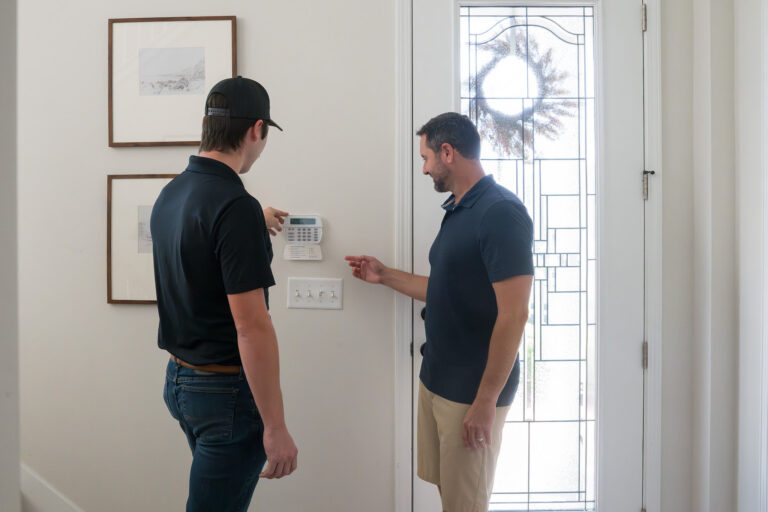
Show the installer existing equipment and explain any renovations, changes in use, or recurring system problems. If you inherited an alarm, ask whether usable components can remain before choosing a full replacement. Our guide to switching monitoring with an existing alarm system explains what affects compatibility.
Outdoor equipment also needs a location-specific assessment. Exposure at a sheltered front door differs from exposure at an uncovered driveway or coastal property. Ask the installer to confirm that the proposed equipment and installation suit the location.
3. Understand the different jobs of sensors and cameras
Door contacts, motion detectors, cameras, and other devices serve different purposes. Ask the provider to explain what event each device detects or records, and what notification or response follows.
A camera can help you see an entrance. An intrusion alarm uses configured detection devices to signal an alarm condition. Having a camera does not by itself tell you whether a monitoring center will receive or act on an event.
For video, discuss the area you need to see, nighttime conditions, recording access, and storage. Avoid choosing solely by camera count; coverage and useful recorded detail matter more than filling a package.
4. Decide who should handle alarm signals
Consider how often you can check your phone and whether you want a monitoring service involved when an alarm occurs. Ask what signals the selected plan covers and how the provider explains its response procedures.
If you choose professional monitoring, confirm emergency-contact setup, communication requirements, and what you should do when an alarm is accidental. Get instructions for your actual system rather than relying on general advice.
5. Ask about power, communication, and everyday use
Ask how the proposed system communicates and what happens during a power or internet interruption. Backup operation depends on the equipment, available power, communication service, and conditions; it should not be treated as unlimited.
Think about who will use the system. Can household members operate it comfortably? How will guests receive access? What training and support are available if someone forgets a step?
If you want smart home features, identify the compatible devices and subscriptions in the proposal. A single-app demonstration does not establish that every existing lock, camera, or thermostat can join the system.
6. Compare service as carefully as equipment
Installation is the beginning of the relationship. Before deciding, ask who handles troubleshooting, how service is requested, and what repair or maintenance coverage applies.
Request written equipment, installation, monitoring, and service terms. Use our home security cost guide to compare the upfront and recurring charges. Clarify ownership, recurring charges, and any cancellation or financing obligations. A good recommendation should leave you understanding the scope and the tradeoffs.
Common questions about choosing home security
Do I need cameras, an alarm, or both?
Cameras help you see and review activity. An alarm uses configured sensors to detect events. Choose according to the areas you need covered and the response you want; one type of equipment does not automatically provide the other’s functions.
Can I add smart home features later?
That depends on the panel, platform, compatible devices, and selected services. Ask which additions the proposed system supports before buying equipment for a future upgrade.
A short checklist before you decide
- Does the design address my main priorities and actual entry points?
- Do I understand what the cameras, sensors, and monitoring each do?
- Are communication and backup limitations clear?
- Can my household use the system comfortably?
- Are the costs and ongoing service responsibilities in writing?
Need help choosing a system for your home?
Tell us about your property, existing equipment, and the situations you want to manage. Request a free consultation to discuss a system recommendation for your home. No pressure and no obligation.
VKA Security has served Northeast Florida since 1973. Our approach to residential security starts with your property and priorities, followed by a recommendation you can understand.